
Making text to speech word highlighting work for complex documents
By Chandradeep Chowdhury and Safal Dhamala · May 18, 2026
The core problem
Complex documents such as academic papers are full of formatting that humans need to read but text to speech models can't pronounce accurately: LaTeX equations like “$x^2 + y^2 = r^2$,” inline citations like “[14],”HTML emphasis tags, or markdown bold markers. Before we send text to our text to speech model, we need to process all of that formatting to get more accurate pronunciation for text to voice conversion.
Some types of pre-processing that we do:
We remove citations that are not part of the sentence.
We convert Roman numerals to Arabic numerals.
We make math more readable, for example
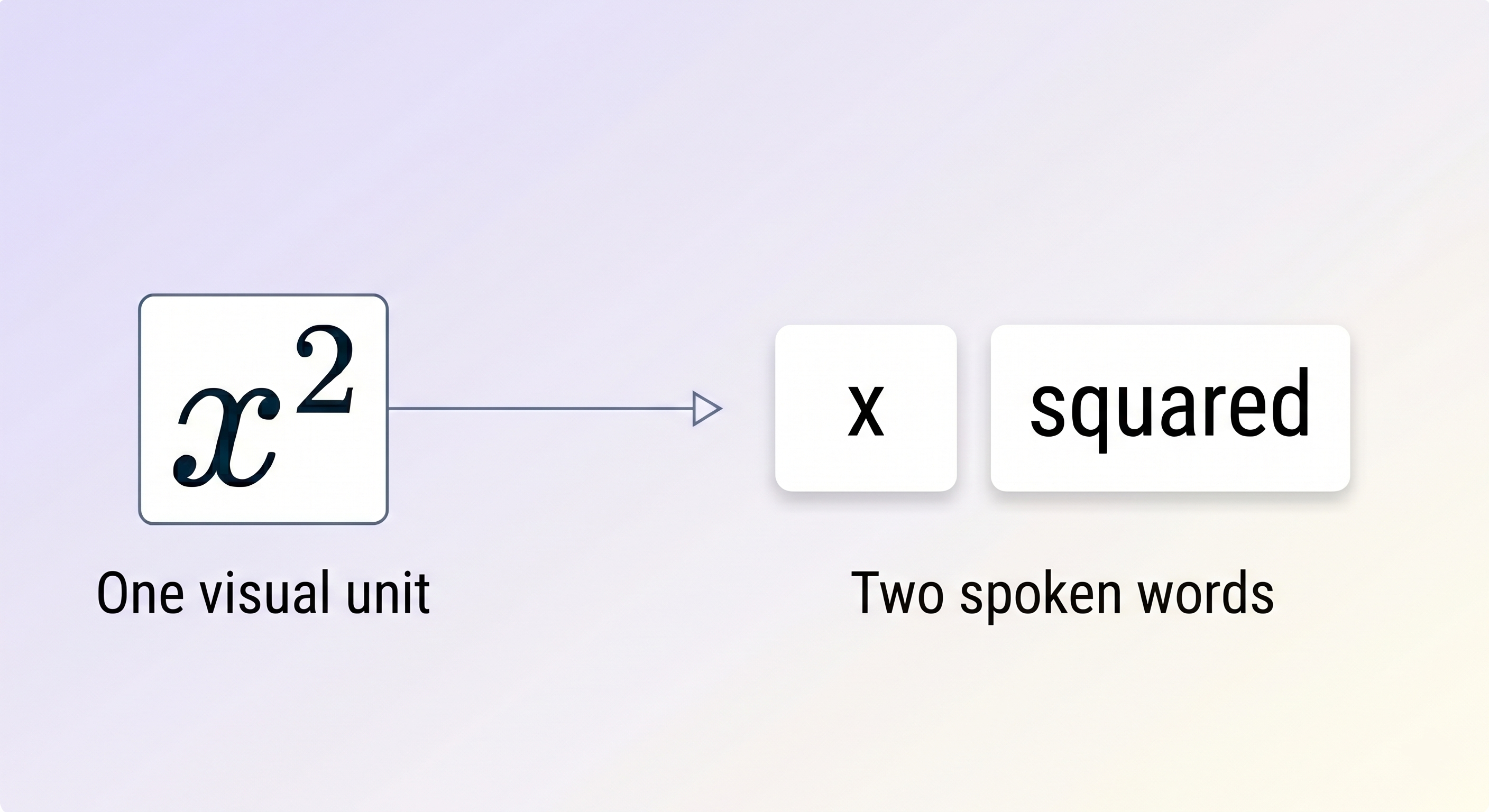
“$x^2$”becomes"x squared.”We strip formatting that can confuse the text to speech model, for example
“<em>fundamental</em>”becomes just"fundamental."
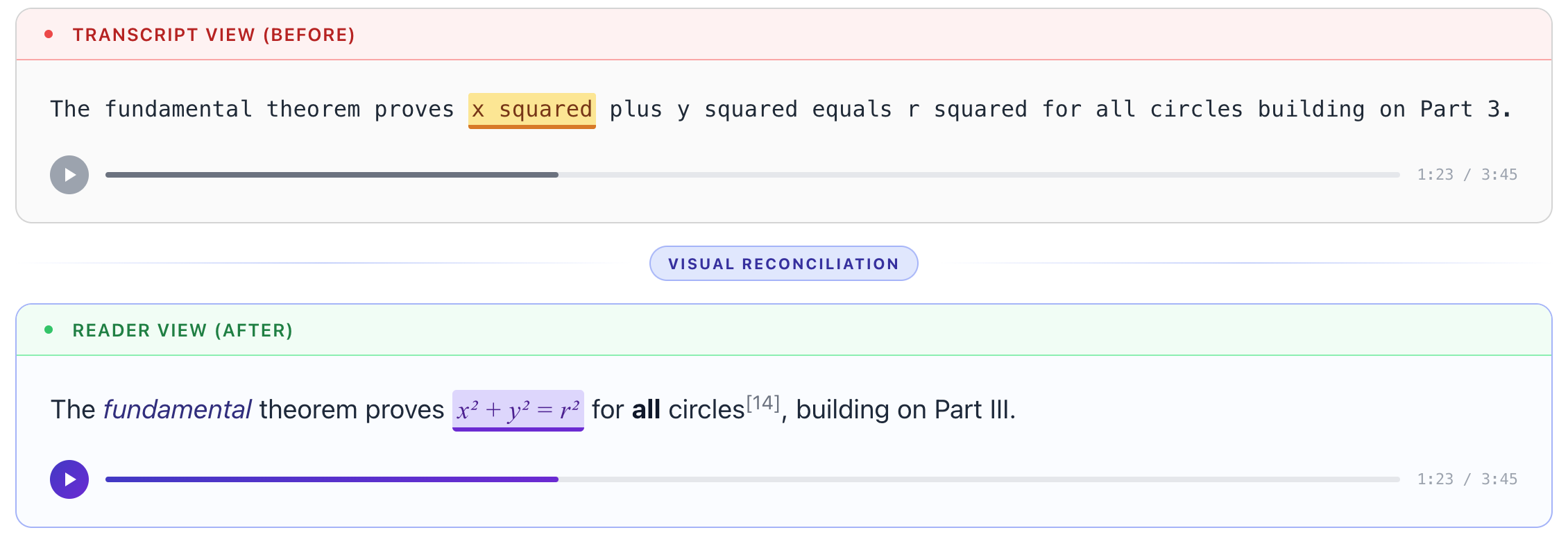
Once this process is complete, we have two completely different strings representing the same content. One string is what the user sees in the Reader View audio transcript (rich, formatted). The other is what the model speaks (plain, phonetic). And we need word-level timestamp alignment between them in order to make highlighting which word is being read aloud in the transcript work properly.
In Paper2Audio’s original transcript view, these two strings were the same and the display text was the spoken text. This worked, but it meant users saw ugly stripped-down content during playback. No formatting. No equations. No citations. We wanted to show the original document formatting while maintaining accurate pronunciation and word level highlights.
What makes this hard
The simple approach, character-count mapping, falls apart immediately. If the visual text says “community.<sup>1</sup>” and the spoken text reads aloud “community,” you can't just count characters to figure out where the word boundaries are. The two strings have completely different lengths and structures. A harder case: the visual text says “$x^2 + y^2 = r^2$” while the text to speech reads eight separate words: "x," "squared,” "plus," "y," "squared," "equals," "r," and "squared."
Then there are challenges specific to Kokoro, our preferred text to speech model. Kokoro tokenizes punctuation separately. For example, for the string “home,” Kokoro returns "home" and "," as distinct timestamped words, while our visual tokenizer that splits on spaces keeps them glued as "home,". Every comma, every quote mark, and every period creates a potential mismatch.
The solution
We built a reconciliation algorithm that runs after text to speech synthesis. It takes two inputs: the word timestamps from Kokoro, aligned with the spoken text, and the original formatted text. The output is the same set of word timestamps but now aligned with the original formatted text instead of the spoken text.
The result in practice
Take a real sentence:
Visual: "The <em>fundamental</em> theorem proves $x^2 + y^2 = r^2$ for **all** circles [14], building on Part III."
Spoken: "The fundamental theorem proves x squared plus y squared equals r squared for all circles building on Part 3."
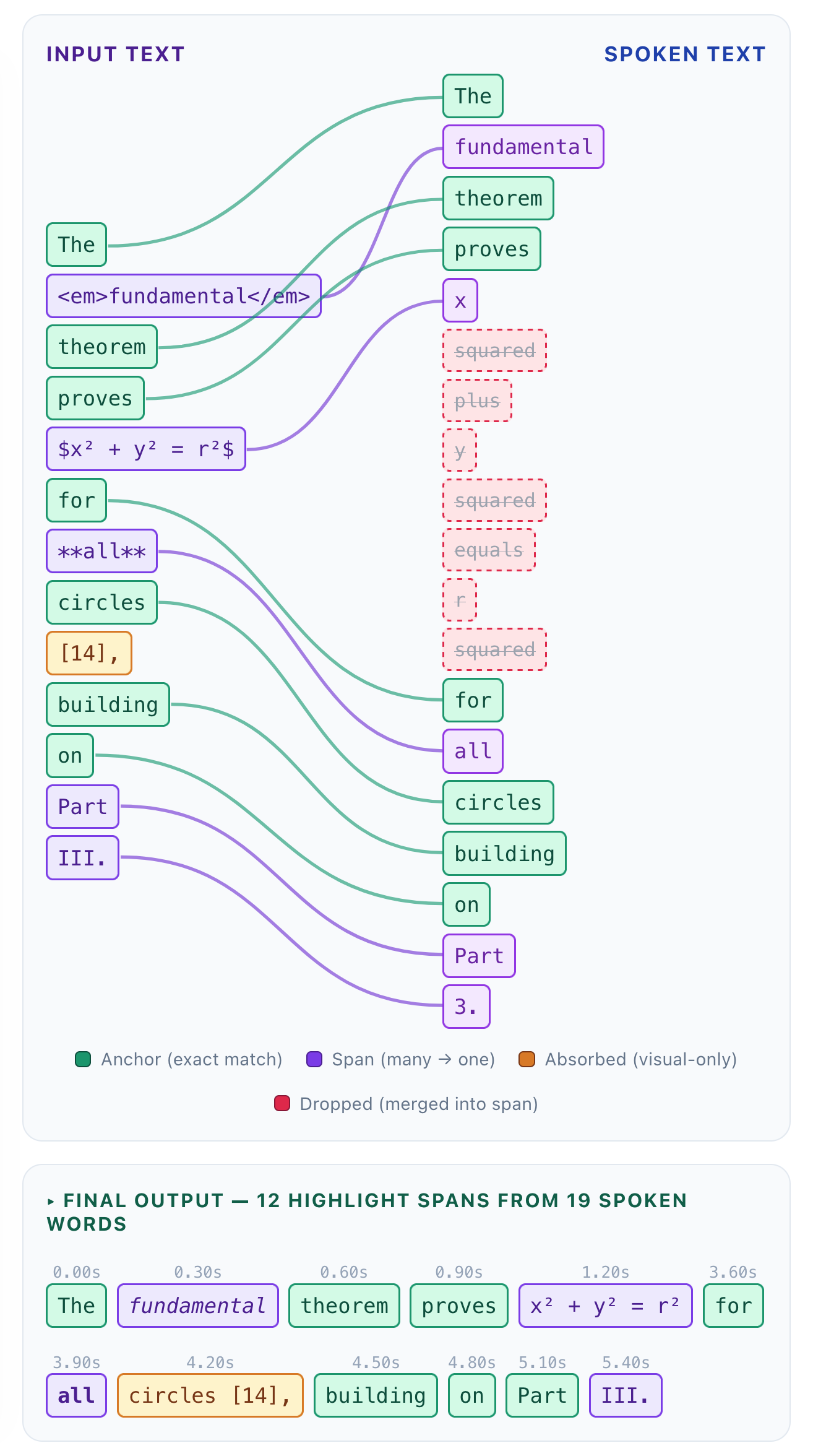
The algorithm produces 12 highlight spans from 19 spoken words:
“The,” “theorem,” “proves,” “for,” “circles,” “building,” “on,” and “Part” are mapped one to one to their spoken counterparts and are the anchors.
The emphasized
“<em>fundamental</em>”is mapped to“fundamental”as it sits between the same pair of anchors on both sides.The bold all is mapped to the spoken “all."
The LaTeX block becomes a single highlight span. When the model says
"x squared plus y squared equals r squared,"the entire$x^2 + y^2 = r^2$is highlighted as one unit.The citation
[14]gets absorbed into"circles,"it's visible but never narrated or separately highlighted.The roman numeral "III." maps to the spoken
"3."
The user sees their richly formatted document. The words are pronounced correctly and the words are highlighted accurately.
What we learned
The biggest insight: We should not assume anything specific about the spoken text and input text. When we tried to specifically handle various types of formatting on a case by case basis, the system would fail on multiple edge cases, and would potentially require ongoing work. Instead, by not assuming anything about the structure of the content, we were able to develop a general algorithm that can handle all types of mismatches between the spoken text and input text with little to no downsides.
The algorithm adds negligible overhead and runs once per segment after it goes through the text to speech model. The algorithm enabled us to produce rich document rendering without touching the text to speech pipeline at all.
Check out how we combine text to speech and rich text display with word highlighting in action by trying out one of our demo documents or adding your own document here.