PDF to audio
Read PDFs Aloud
Listen to your PDFs, wherever your day takes you
Turn research papers, reports and books into accurate audio. Add your PDF, choose the full text or a summary, and use Paper2Audio to read pdfs out loud while you walk, commute or take a break from the screen.
Try listening to a PDF
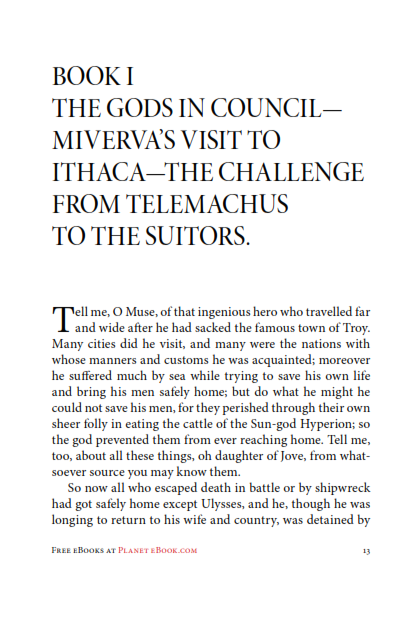
From page to audio
The Odyssey
Homer, Translated by Samuel Butler
See the original PDF, then listen to its text read aloud with Paper2Audio's PDF audio reader. Paper2Audio removes the page numbers, footers, footnote superscripts, and reference list from the audio playback of this document. Try the player below or open the full document to keep reading as you listen.
Listen to the PDF
Full-text audio
How it works
Add your PDF: Create a free account, then upload a file or add a link to a PDF to begin the text to speech processing.
Choose how much to hear: To read your full PDF aloud, select Full Text, or choose long or short summary mode for a condensed version.
Listen and follow along: Play the audio, follow along with the text, and adjust the playback speed. You can listen on the web or in the iPhone and Android apps. Change voices as you listen, or generate an offline copy of your PDF audio to listen without an internet connection.
Read without audio in Reader View: You can also use Paper2Audio as a stand-alone PDF reader. PDFs are reformatted to a single-column format to be easier to read on a smaller screen and visual elements like tables, figures, images, and in-line formatting (lists, headers, etc.) are preserved.
How tables, figures and references are handled
PDFs contain more than sentences. Paper2Audio's PDF narration is a curated reading of the PDF using advanced text to speech processing, rather than a word-for-word reading of everything on the page.
In Full Text mode, Paper2Audio summarizes visual elements such as tables and figures so they can be understood as audio. Reader View keeps visual content displayed alongside the text, letting you inspect the original details as you listen.
Page headings, footnotes and reference lists can interrupt the flow of spoken text. Paper2Audio removes non-essential material from the PDF audio and includes citation text when it is needed to keep a sentence intact.
Try more documents
Explore a full-text research paper or listen to a detailed summary. Each example includes audio and a transcript.


Plan options
The Free plan allows for free PDF reading for personal use and has a 56 hour weekly processing limit, measured at normal playback speed. The Plus plan includes a 168 weekly limit. Once audio has been generated, you can replay your PDF or generate offline versions without using up more of your weekly limit. Your account settings page shows the weekly amount you have remaining and when it resets.
Free accounts can process PDF documents up to 250 pages, with a maximum file size of 100 MB. The Plus plan allows for PDFs up to 1,000 pages and a maximum file size of 200MB.
Offline listening is available in Paper2Audio's mobile apps. Exporting audio files or transcripts requires Plus. Professional use requires a paid plan.
See plans and current limits for the full comparison.
Frequently asked questions
Yes. Paper2Audio uses advanced OCR to process scanned documents and detect rotated pages, but the result depends on the scan quality. Blurry text, unusual layouts and math-heavy pages can lead to errors.
English is fully supported. Additional languages are available in beta, with automatically selected voices and potentially lower accuracy. Check the supported languages in our FAQ before adding a document in another language.
The mobile apps download audio for offline listening. Exporting an audio file to use outside Paper2Audio requires a Plus subscription. Audio exports use M4A format. Transcript export is also available with Plus.
Yes. Paper2Audio is available on the web, iPhone and Android. Sign in with the same account to access your library across devices. Create an offline version of the audio in the mobile app before listening without an internet connection.
Uploaded documents are not publicly shared unless you choose to share them. Free-plan content may be used to improve our document processing models; Plus-plan content is not used for that purpose. You can delete documents or your account anytime.
Read our Privacy Policy and Terms of Service for details.
Give your next PDF a voice
Add a document and choose how you want to listen.